Looker Studio - test environments - free e-commerce report
This report helps you make better decisions on what to test and why. It shows which environments (devices / browsers / resolutions) are used by your store’s visitors.
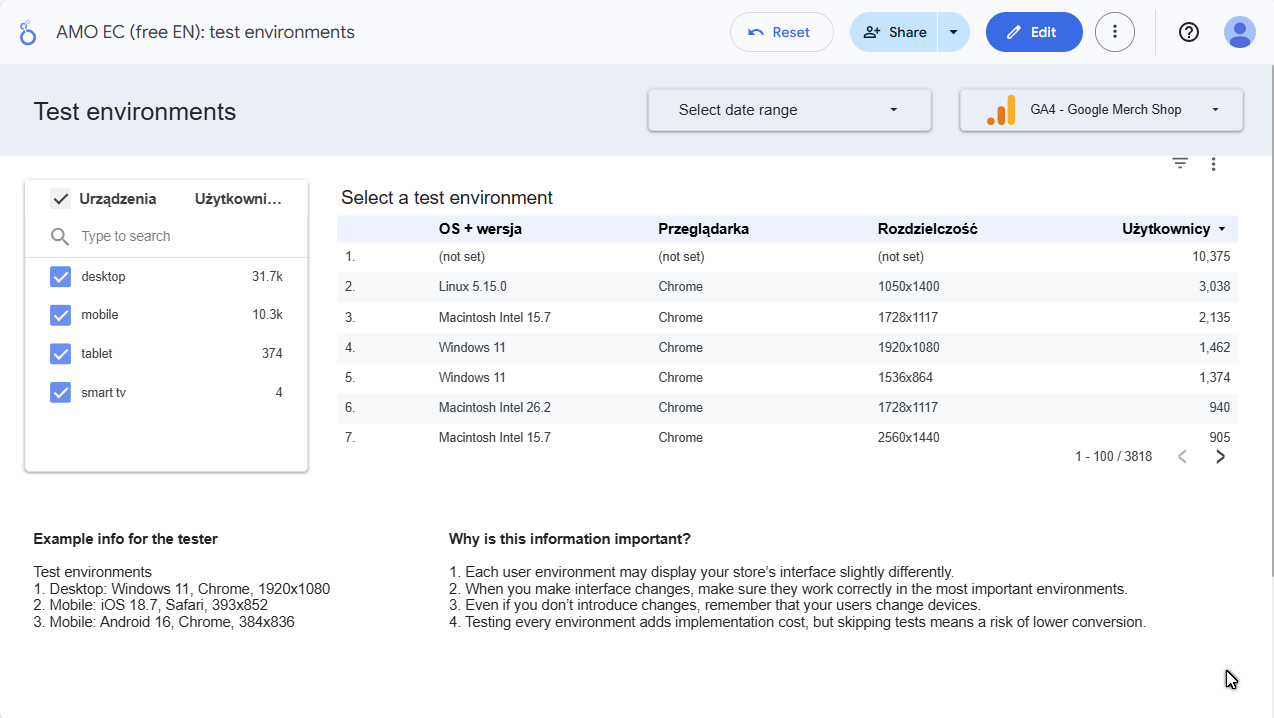
The report is available for free
Open report:
➜ View report in Looker Studio
➜ View report in Looker Studio
Why is this information important?
- Each user environment may display your store’s interface slightly differently.
- When introducing interface changes, ensure they work correctly in the most important environments.
- Even if you don’t introduce changes, remember that your users change devices.
- Testing every environment is an additional implementation cost, but lack of testing means a risk of conversion drop.
What to “take away” from this report?
A brief note for the tester/agency about environments where introduced changes need to be tested:
- Desktop: Windows 11, Chrome, 1920x1080
- Mobile: iOS 18.7, Safari, 393x852
- Mobile Android 16, Chrome, 384x836
Why won’t a tester do this for you?
They will - and often they’ll do it well. But a tester will make a decision based on “hard” data like number of users per device/browser. And let’s be honest: that’s not always the key metric.
You know your users’ and business needs best:
- which segments are “most sensitive”,
- where the margin of error is smallest,
- which environments are critical (because that’s where the highest basket value, leads, or LTV are).
How to use the report?
Open the report
from the link above.Log in to your Google account
(this is normal in Looker Studio).Select your GA4 account
and data source (if the report asks to connect).If a permissions message appears: ensure you have access to GA4 at least at the Analyst / Viewer level.
Want a similar report tailored to your store?
Report Metadata
- Report Version: v1.0
- Last Update: 2026-02-14
- Requirements: GA4 access + Google account
- Data Source: GA4